Showing posts with label Blogger Essentials. Show all posts

Learn More About SEO with Janette Toral

Tuesday, September 15, 2009

essential online learning for the digital entrepreneur, with Renzie Baluyut.

Here's a snippet of a post I wrote up over at another blog of ours, inviting digital entrepreneurs from all over to check out this interesting webinar series on Search Engine Optimization (SEO):

So you have a blog, you got all kinds of social media going on, but why is it taking you so long to get any real traffic coming to your site?

Search Engine Optimization (or SEO), while a relatively young industry, is a very high-demand skill among internet marketing practitioners. SEO involves bringing in quality traffic to a blog or a website from search engines through natural (or more appropriately, “organic”) search results.

Companies and organizations scramble everyday to achieve the topmost spot on a search result page, with the notion that the earlier your site appears on the list of search results, the more visitors you will get from the search engines. In effect, what you’re really after is web presence. SEO helps your blog or website achieve just that. Greater traffic potentially means increased sales, or at least an increased involvement with your target internet audience.

Search Engine Optimization is not only a great internet marketing tool, but is also a highly marketable skill set- sought after much by all kinds of companies, even BPO’s and foreign clients.

The Certificate Course on Search Engine Optimization Techniques will be conducted by none other than Janette Toral, one of the leading authorities on e-commerce and internet marketing in the Philippines. Know more about Janette Toral here.

The course will be conducted as a series of webinars-- online workshops and discussions- which means anyone can register and conveniently join in from just about anywhere in the world, as long as they have a good enough PC or laptop, as well as a reliably stable internet connection.

The hands-on webinar series will touch on tips and techniques to essentially get your blog or site to the top of search engine rankings-- search pages on Google, Yahoo, and Bing- and stay there.

Topics that will be taken up for The Certificate Course on Search Engine Optimization Techniques include:
  • An introduction to search engine marketing & optimization
  • Identifying niche positioning for products and services that you'll sell, how to target customers, buying frequency and motivation.
  • Keywords discovery, attractiveness analysis, and implementation.
  • Improving your website structure and navigation.
  • Improving your website page titles, description, menus, body text, other assets, and good content (on-page optimization)
The course runs for three days: October 6, 8 and 10- a Tuesday, Thursday and Saturday, from 6 to 8pm, local Philippine time (GMT +8:00). October 6 and 8 will focus more on theory, discussions and demonstration, while October 10 will touch more on comments on work submitted to the speaker for assessment and feedback.

More details on the SEO Certificate Course can be found here on the webinar series' event page. Or you can go right ahead and register for the course straight away.

Cheers, everyone!

Read more...

Resources for Blogs: BlogCrowds

Tuesday, January 22, 2008

I suppose it is no secret that I've been trying out all these different kinds of templates on my other blog projects.

The usual templates provided by Blogger is alright- but as I may have mentioned before, it seems that I have a preference for 3-column templates.

Now, there area a lot of sites out there- both free and paid- which features quite a number of the 3-column templates that I like, and a lot other templates. The problem is that when you start loading the .XML template file, or pasting the template file onto the existing one, more often than not, Blogger displays a variety of error messages, end result being- you find yourself unable to load that smashing new 3-column template you found.

And it does get rather frustrating after the first several tries, really. At least until Blogger fixes this nuisance altogether.

Of course, you have the option of learning how to make a template yourself. I probably could, but I'd really rather spend more time churning out blog entries than making templates on my own- but maybe much later on, who knows?

Thank goodness persistence pays off: I stumbled onto Blogcrowds. On top of the new templates they've been offering, they also have lots of useful tips, widgets and other goodies for bloggers- all bloggers, for that matter- whether begginer, intermediate or even advanced.

Nothing too fancy, really. In fact a lot of them are just the usual Blogger templates, only expanded from 2-columns to 3-column deals. As far as I'm concerned, they loaded easily enough (just take away all your previous widgets before previewing or making final changes- you can slap them back on later anyway), and they look great! And I'm already sporting them on my other blog projects.

So go check it out. I'm sure there's something in there you'd like. If it's working templates you're looking for, you can get them here.

Cheers!

Read more...

Blog Tools: AddThis.com

Friday, January 18, 2008

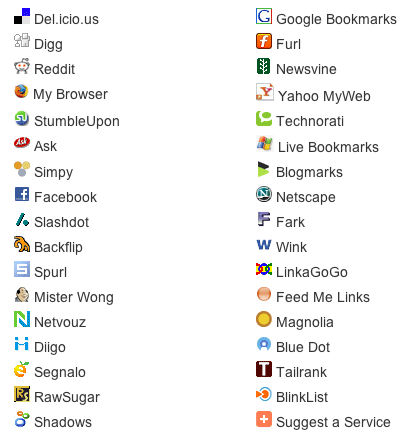
In my quest to find out how they put little "Bookmark This!" buttons at the bottom of every post on your blog, I have managed to stumble upon (no pun intended) a rather useful service on AddThis.com.

As a blogger, you'll want the buttons from AddThis.com because of several reasons, all pretty much pointed out on their homepage.

1. It allows for easy bookmarking. Once a reader likes one of your posts, you have a button right there that allows bookmarking on several services- Technorati, Digg, Facebook, MSN Live, Furl, Ask, Del.icio.us, Google, Reddit, Stumbleupon, Yahoo MyWeb, Twitter, and so much more.

Note that I probably haven't even familiarized myself with some- okay fine- a lot of these services, but let's leave it at that for now, and get back to them in greater detail later on.

2. It helps promote your site. Sending content to social bookmarking services like those mentioned above helps bring traffic to your site. So, yes, you'd want to do this.

3. It increases your rankings. More traffic means a greater likelihood of people linking to your site, and therefore, higher ranking on search engine results pages.

4. It reduces overall clutter. No need for separate codes and buttons for each bookmarking service. One less thing to worry about, so just keep on churning out good content!

5. It's easy to install. No shit. If I have been able to figure it out, so can you. Assuming you already have an account on AddThis.com, just click on the large 'Get Your Button' button on the home page. Pick the kind of widget you'd want- whether one for bookmarking or one for subscribing to your feeds- and how it looks like.

You go to a page which enables you to put an AddThis button on your blog, and gives you a code to put on your template's html coding so that all your posts have an AddThis button at the footer of every post.

6. It comes with free statistics. Because sometimes, you'd like to know more on how readers are bookmarking and sharing your content.

7. It's very reliable. Heck, a lot of sites and blogs already use this service, including Time.com, TechCrunch, ABC, Lonely Planet, Freewebs, Tower Records, just to name a few

8. It's free! Can't argue with that, can you?

So if you're building a blog, go right ahead and sign up for an account on AddThis.com. Get the buttons for your blog, and keep on posting!

Cheers, everyone!

Read more...

Social Bookmarking For Blogs: del.icio.us

Thursday, January 17, 2008

I was playing around with my del.icio.us account the whole day today, mainly trying to figure out how to slap a del.icio.us script at the footer of each post, versus just having one at the side of my blog.

Del.icio.us is a free social software web service for sharing web bookmarks. See, there used to be a time when you'd bookmark your favorite websites from whatever PC you'd be using at the moment. Del.icio.us takes all that bookmarking several steps further because, not only can you store all your personal bookmarks on an easy-to-use, easy-to-access online account, you can also share your bookmarks with other people, as well as check out what other people are bookmarking.

So in essence, del.icio.us allows you to create your very own list of links, categorize it, and share it with others. You can access this list anytime you're online, so you can practically bring your list of links and bookmarks to any PC or laptop you're working on.

As a blogger, you want this service. For several reasons:

1. On the front page, you can see what are the hottest topics/pages/blogs at any given time. You'll want a quick way of finding the newest, or the most popular resources online, especially on subjects related to your blog.

2. It's a great way to market you and/or your brand, or in this case, your blog. You would want to use del.icio.us to promote your blog and your individual blog entries with other people.

3. It's really meant for networking. You'd want to hook up with people who also look for the same things you do, and share bookmarks with them, as they share theirs with you.

4. It's a great way to archive your blog. Del.icio.us allows you to keep track of what you've already written or what you still want to write about.

Check this out: Roland Piquepaille has a great read on how he uses del.icio.us. Sign up for del.icio.us by visiting their website. For more information on del.icio.us, read more about it on Wikipedia here.

I hope this has been useful. Cheers, everyone!

Read more...

Social Networking For Blogs: Twitter

Sunday, January 13, 2008

I've just successfully put up Twitter on a few of my blogs.

Twitter is a free micro-blogging service, which enables you to post updates of about 140 characters long- enough for a short sentence, and enough to tell people what you're doing, what you feel or what you're going through with just a few words.

You can go sign up quickly for a Twitter account here on their website. Once there, you'll want to start looking for friends who are also on Twitter. Eventually, you'll be able to 'follow' each other through little updates you leave online.

You can get the html codes for your Twitter account so you can embed it in your blog, MySpace or website. I was able to set up my Twitter on one of my Blogger blogs here, and also on my Multiply. It shouldn't be any problem setting it up on, say, a Wordpress blog- in fact, I'll get down to it once I'm done here.

Another interesting feature is that you can actually send Twitter updates via SMS- through your mobile phone. Which means you can easily tell people what you're having for lunch right at moment, or what you think of the latest Will Smith movie, or mention how you've spotted some local celebrity at a local mall or restaurant or something.

Give Twitter a try- I understand that it's probably not for everybody. It's just one of the many options available to you for keeping in touch with your online network- but not like you already need any more social media applications, right?

In any case, if you do feel like Twittering, do look me up- look for 'Renzie' and drop me a message. Cheers!

Read more about Twitter here on Wikipedia, or check out their website here.

Read more...

Blogger Essentials: The Asus EEE PC

Wednesday, December 5, 2007

Since my first post about my acquisition of one of these sexy Asus Eee PCs, there have been a number of posts and comments- more like questions, really- asking me what I think about it. So here's my effort to give it a personal review, hoping that this will be of help in your decision-making process- whether to get one of these babies for you, or not.

Read the rest of my personal review of the Asus EEE PC here on my other blog, "Renzie's Realm of Awesome".

Cheers, everyone!

Read more...

The Latest From Smashing Magazine

Dosh Dosh

The Latest from Mashable!

Search Engine Land: News About Search Engines & Search Marketing

The Latest from Daily Blog Tips

The Latest From Problogger

The Latest From A List Apart

Hot Topics: The Latest From Sphinn.com

The Latest From HarvardBusiness.org

The Latest From Copyblogger

The Latest From Lifehacker

Zen Habits, by Leo Babauta

Lateral Action

  © Blogger template Writer's Blog by Ourblogtemplates.com 2008

Back to TOP